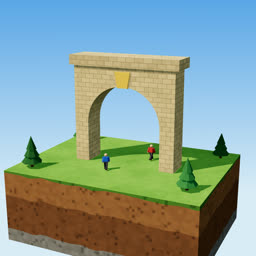
Bring your script and voiceover
Your story, about 200–300 words for a 60–90 second video, and a recording of it. Read it yourself or make a free AI voice, for example in Google AI Studio.
Hand Claude Code your script and your voiceover. It builds a finished vertical 3D animated video around your voice: real stone, dirt and grass on simple shapes, little bean-shaped people, real physics, one-word captions, wooden sign boards, sound effects and music.
One payment. No subscription.Your personal copy by email within 24 hours.
For $34.99: the Claude Code skill, the 3D toolkit, 29 textures, ~1,400 sound effects, a music track, a demo scene and the guide. Make as many videos as you like; they're yours to post and monetise.
The proof
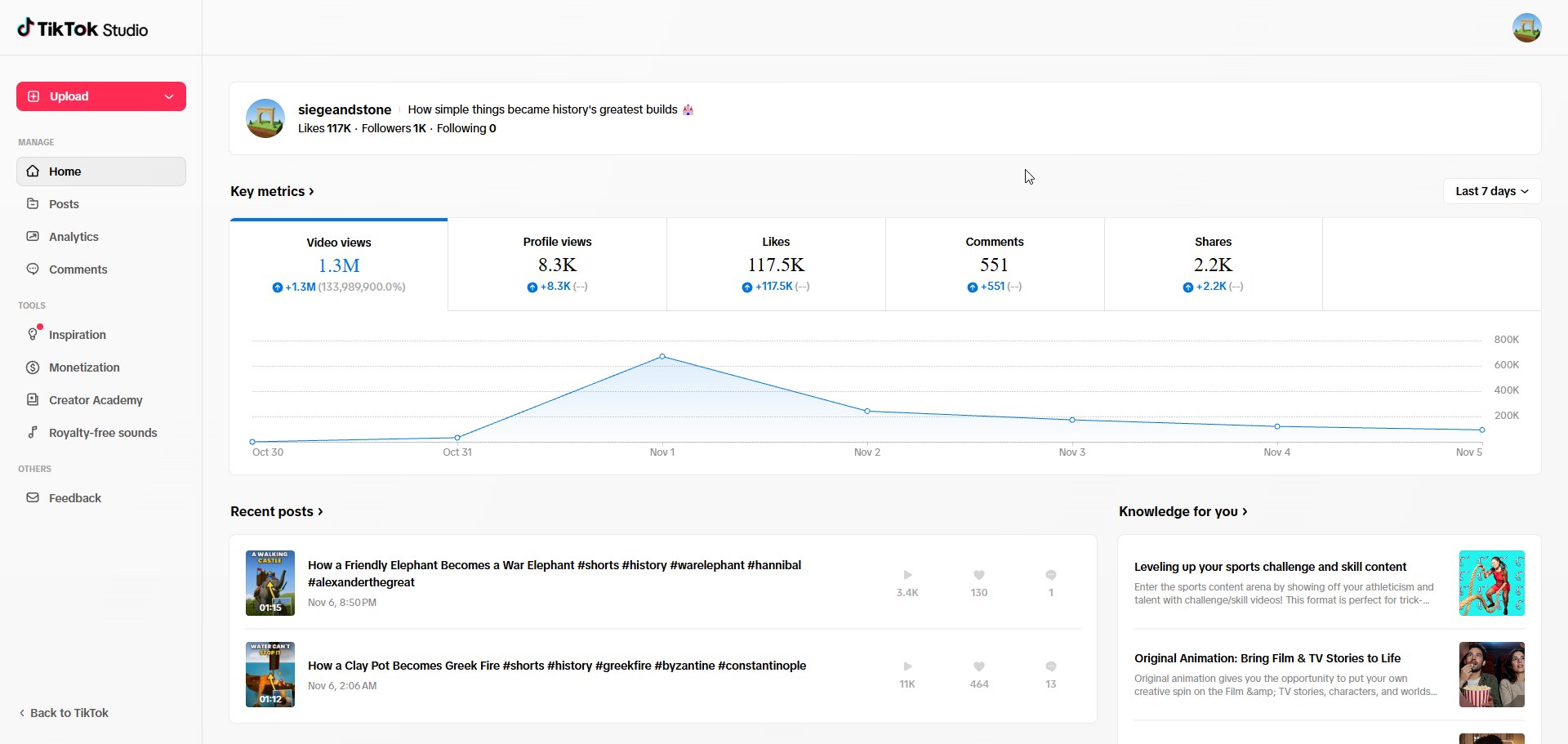
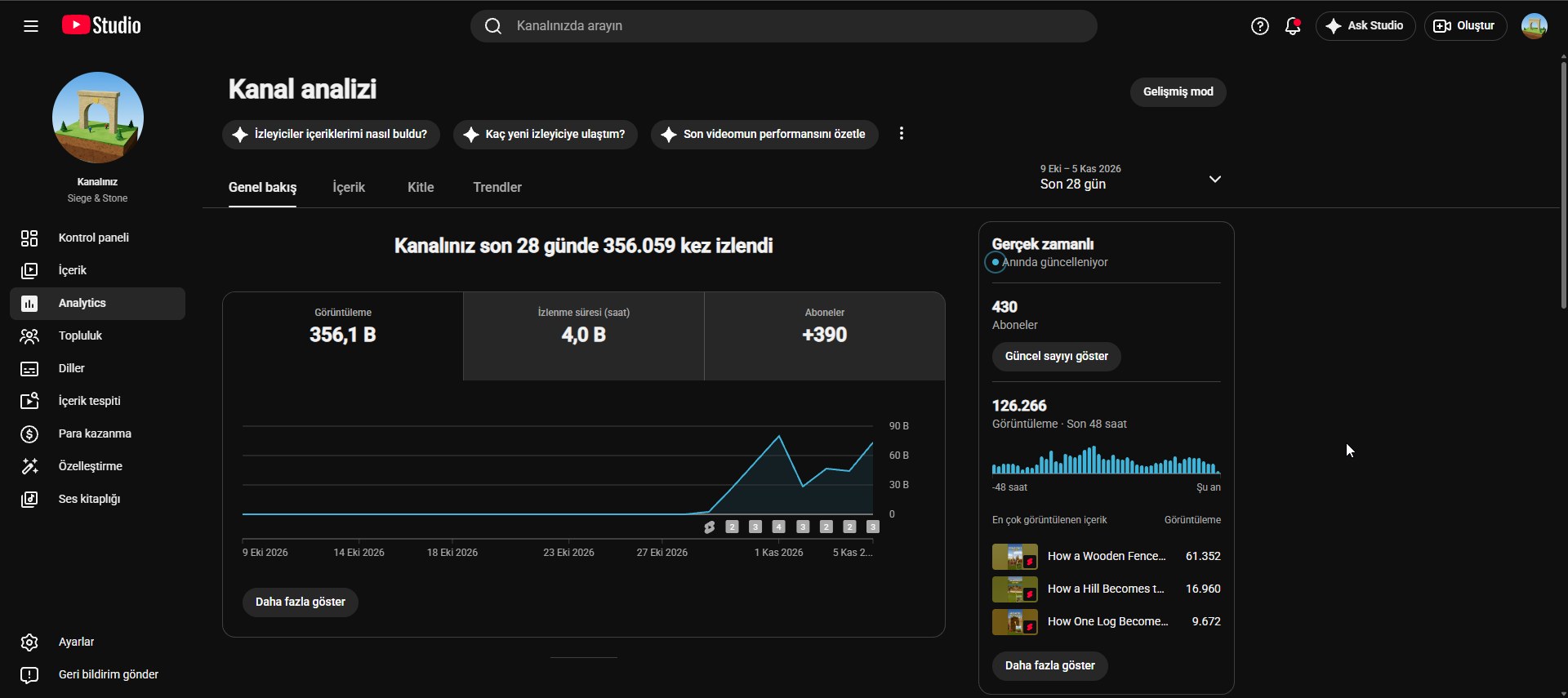
Siege & Stone posts the same 3D Shorts on YouTube and TikTok. Each one was built the way this kit builds yours: a script, a voiceover, and Claude Code doing the building. Not a demo reel: a real channel, with real viewers.
views in the first 8 days, YouTube + TikTok
TikTok views in the account's first week
likes on TikTok in that week
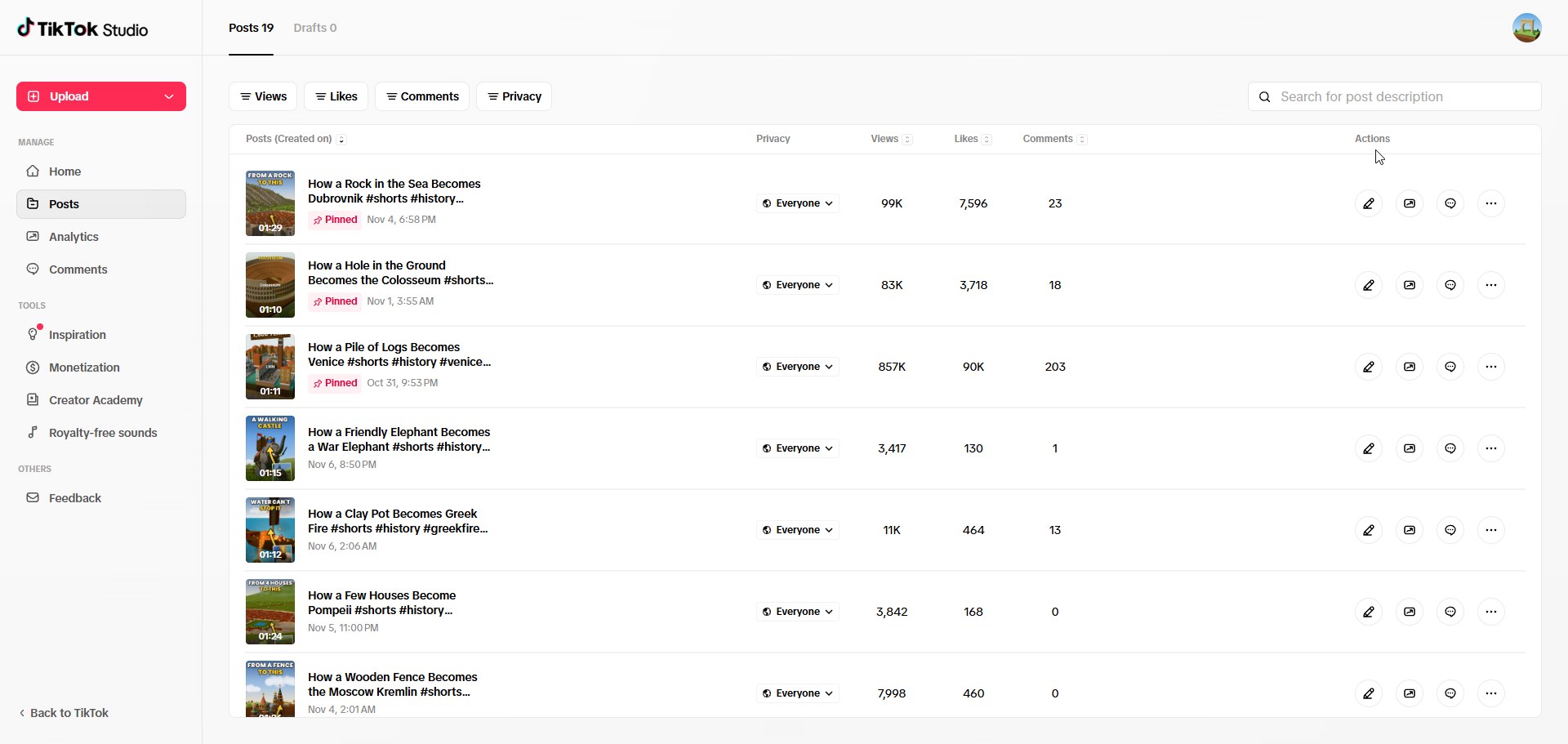
views on the top video, Venice, on TikTok
356K views
4.0K watch hours
+390 subscribers
1.3M video views
117.5K likes · 2.2K shares · 551 comments
8.3K profile views · 1K followers
Figures from the channel's first 8 days on YouTube and TikTok, counted 5–6 November 2026. Your results depend on your own stories and channel; no number of views is promised.
See the channels yourself: TikTok @siegeandstone · YouTube @siegeandstone
Swipe for more →
“How a Pile of Logs Becomes Venice” reached 857K views and 90K likes on TikTok, plus 26K views on YouTube, in its first week. Everything you see and hear came out of the same system that's in the kit.
How it works
You don't write code and you don't press buttons in an app. You talk to Claude Code in plain English, and the kit's skill tells it exactly how to build the video.
Your story, about 200–300 words for a 60–90 second video, and a recording of it. Read it yourself or make a free AI voice, for example in Google AI Studio.
Drag both files into the Claude Code window and say the word:
“Make the video.”Claude trims long pauses, times every word, plans the shots, builds the 3D scene, checks preview frames for glitches and fixes them. You can leave it running.
A vertical 1080×1920 MP4 for Shorts, Reels and TikTok, with captions, sign boards, sound effects and music. Want changes? Ask in plain words: “make the music quieter”, “the tower looks like it's floating at 0:31”.
The kit is built around the Siege & Stone style. It's a deliberate, recognisable look, and you can still tweak it in plain words: “make it sunset”, “dress the soldiers in blue”.
Photo textures of stone, brick, marble, dirt, mud, grass, wood, sand and snow on clean 3D forms.
Little capsule-shaped people with helmets, hats and hair, and soft round cartoon trees.
Walls rise course by course, boulders bounce and roll, arrows fly true arcs, towers topple and crumble.
Bold captions in the middle of the screen, timed to every word you say, with key words in yellow.
Dates, numbers and names pop up on wooden boards, just like in the videos above.
A sound on every hit, thud and cheer, music mixed under your voice, loudness-matched for phones.
What's inside
The whole method: the look, camera rules for the tall 9:16 frame, physics and animation rules, an 8-point glitch checklist, sound mixing and a long list of hard-won lessons.
Sky, clouds, 3D grass, trees, bean people, walls, towers, battlements, flags, water, dust, fire, physics helpers, captions, sign boards and a frame-perfect recorder.
Stone, brick, marble, dirt, mud, grass, wood, bark, sand, plaster, roof tiles, snow and ice. All CC0.
In 19 folders: stone, wood, metal, impacts, crowds, voices, animals, fire, water, whooshes, jingles and more. All CC0, no credits needed.
One track included (needs a credit line) plus a list of 30+ free tracks with ready-made volume settings.
A stone tower rises on a grassy hill and a boulder bounces off it. Render it to test your setup.
Pause trimming, word timing and a mixer that puts voice, music and effects together. The guide walks you through setup on Windows (with Mac notes), your first video, prompts that work well, tips and troubleshooting.
The easiest setup is one sentence: start Claude Code in the kit folder and ask it to set everything up. It installs the free programs one by one and asks your permission at each step.
siege-and-stone-3d-kit/
  GUIDE.md        setup, first video, tips, FAQ
  LICENSE.txt
  skill/          3d-shorts-builder
  toolkit/
    three-video/  engine, recorder, 29 textures
    audio/        ~1,400 sounds, music
    trim_pauses, word_timings, mix_audio
  demo/           18-second test scene
  videos/         your videos go here
Is it for you?
Requirements
All sales are final, so here is exactly what you need.
On Pro you may sometimes wait for your usage limit to reset in the middle of a build; Claude then carries on where it stopped.
FAQ
No. You talk to Claude in plain language and it does the building. It helps to be comfortable opening PowerShell (or Terminal on a Mac) and pasting a command; the guide shows you exactly what to paste.
A paid plan that includes Claude Code. Pro ($20/month) works for trying the kit and making a video now and then. If you want to make several videos a week, Max ($100/month) is the comfortable choice.
Yes: a Windows PC with a graphics card, or a Mac. The guide covers Windows step by step and has notes for Mac.
No. The kit is about the 3D video: you bring the story, the script and the voice. It doesn't write titles or descriptions either, and it doesn't post anything for you.
Use a free AI voice. Google AI Studio has a free text-to-speech tool with natural voices: paste your script, pick a voice, download the audio and drag it into Claude Code. Any other text-to-speech tool works the same way.
By email, within 24 hours of your purchase. Each copy is prepared for its buyer, with your name and licence ID built in, which is why it isn't an instant download.
Yes. The videos you make are yours: post them on any platform, monetised or not, and make as many as you like. You can also make videos for a client or employer, as long as the kit itself isn't handed over.
The textures and sound effects are CC0 (no credit needed). The included music track is CC BY 4.0, so show its credit line wherever you post a video that uses it.
Sexually explicit, sexually suggestive, NSFW or otherwise harmful content is not allowed. The kit is for family-friendly animated videos. Read the acceptable use policy.
No. The licence is for one person. Every copy is personal and traceable: the buyer's name and licence ID are built into it. Teams need one licence per person who uses the kit.
All sales are final. The kit is a digital download delivered in full, so there are no refunds; please check the requirements above before buying. If your download is broken or incomplete, write to us and you'll get a working copy.
Small changes are easy: ask Claude for a sunset, a snowy landscape or different colours. Big changes take longer, because the kit is designed around one look. The scenes, captions and rules are made for vertical 60–90 second videos.
Your story, your voice, and a 3D world built around them. The same system behind 1.6 million views in its first 8 days on YouTube and TikTok.
One payment · unlimited videos, yours to monetise · personal copy by email within 24 hours · all sales final